Branching
Branching allows you to explore different approaches or solutions without losing your original conversation context. When you branch from a message, Reliant creates a new chat session that inherits all messages up to that point.
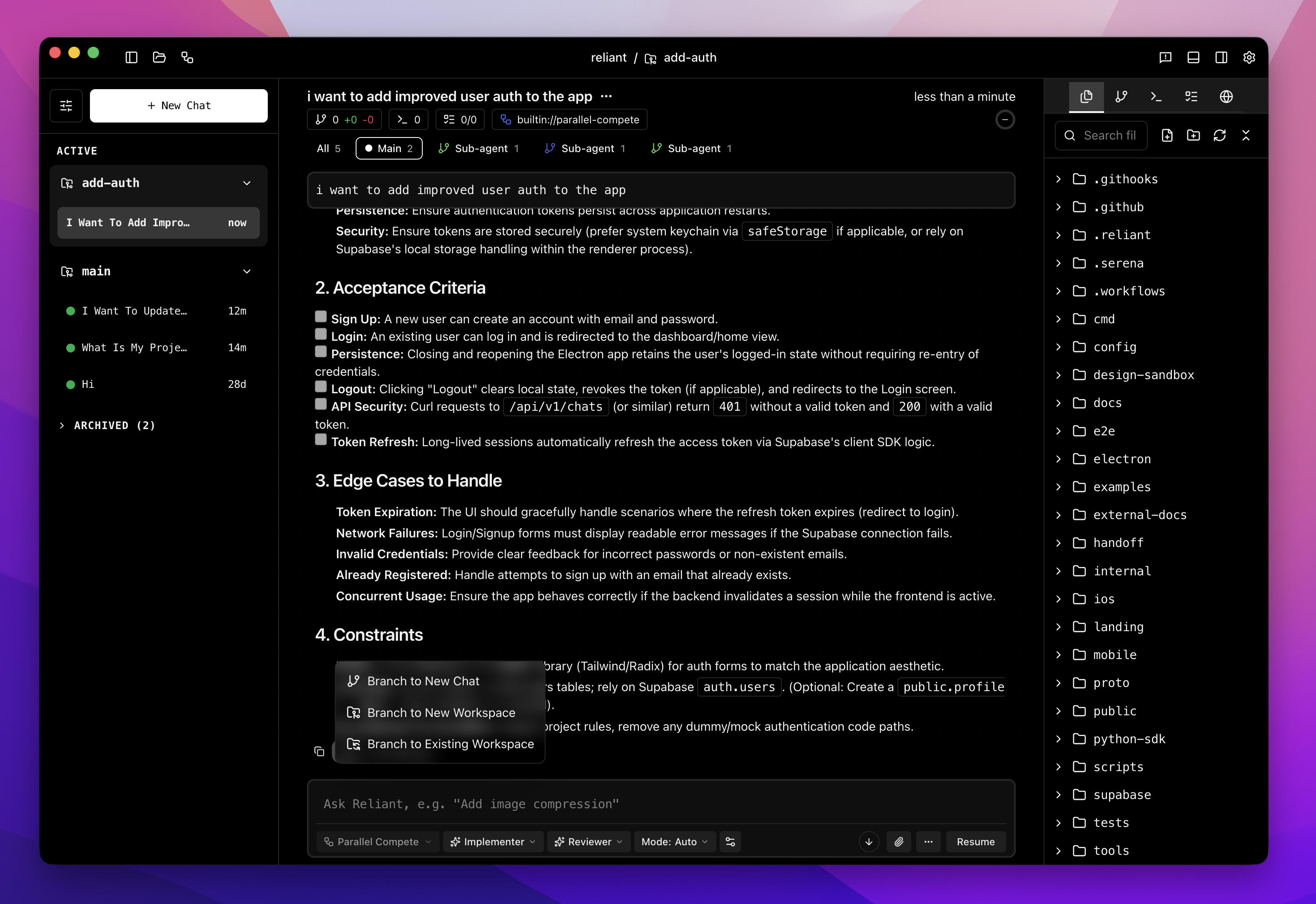
Branch from any message to explore new paths without losing context
How to Branch
- Find the message in the chat history where you want to diverge.
- Click the branch icon on the message (or use the context menu).
- A new chat opens automatically with the conversation history up to that message.
Key Behaviors
- New Conversation: The branched chat becomes a completely new, independent conversation.
- Original Preserved: The original conversation remains unchanged and accessible in your history.
- Context Inherited: All messages, tool outputs, and context prior to the branch point are preserved in the new chat.
- History: Branches appear in your chat history list, allowing you to switch between them.
Switching Workflows After Branching
One of the most powerful features of branching is the ability to switch workflows. This allows you to pivot your strategy mid-conversation.
Scenario: You’ve been having a general discussion about a feature, and now you’re ready to implement it. You can branch and switch to a specialized “Coding Agent” workflow.
Important: You can only change the workflow before sending the first message in the new branch. Once a message is sent, the workflow is locked.
To switch workflows:
- Branch from the desired message.
- Before typing, select a different workflow from the workflow selector in the chat input.
- Send your message to start the new workflow with the inherited context.
Use Cases
- Exploring Alternatives: Try two different implementation strategies for the same problem.
- Recovery: If a conversation goes off track, branch from the last good point to try again.
- Specialized Tasks: Switch from a planning workflow to an implementation workflow once the plan is solid.
- Testing: Branch to test a specific edge case without cluttering the main development thread.
Related Topics
- Threads — How conversations are technically organized
- Workflows Overview — Understanding workflow types