
Supported File Types
Reliant automatically detects and parses:Discovery
Reliant scans your project recursively (up to 10 levels deep) looking for these files. It skips common non-source directories:- Package managers:
node_modules,vendor,.pnpm-store,bower_components - Version control:
.git,.svn,.hg - Build outputs:
dist,build,.next,.nuxt,target,out,output - Caches:
cache,.cache,.turbo,.nx,.parcel-cache - Test fixtures:
__tests__,__mocks__,fixtures,testdata - Python environments, coverage output and temp folders:
.venv,venv,coverage,tmp,temp
package.json files are fully supported—each directory’s commands appear separately.
npm Scripts
Forpackage.json, Reliant extracts all scripts and adds common builtin commands:
From your scripts:
npm install— Install dependenciesnpm ci— Clean install from lockfilenpm audit— Security auditnpm update— Update packagesnpm outdated— Check for outdated packagesnpm prune— Remove extraneous packagesnpm dedupe— Reduce duplicated packagesnpm audit fix— Apply security fixes
Makefile Targets
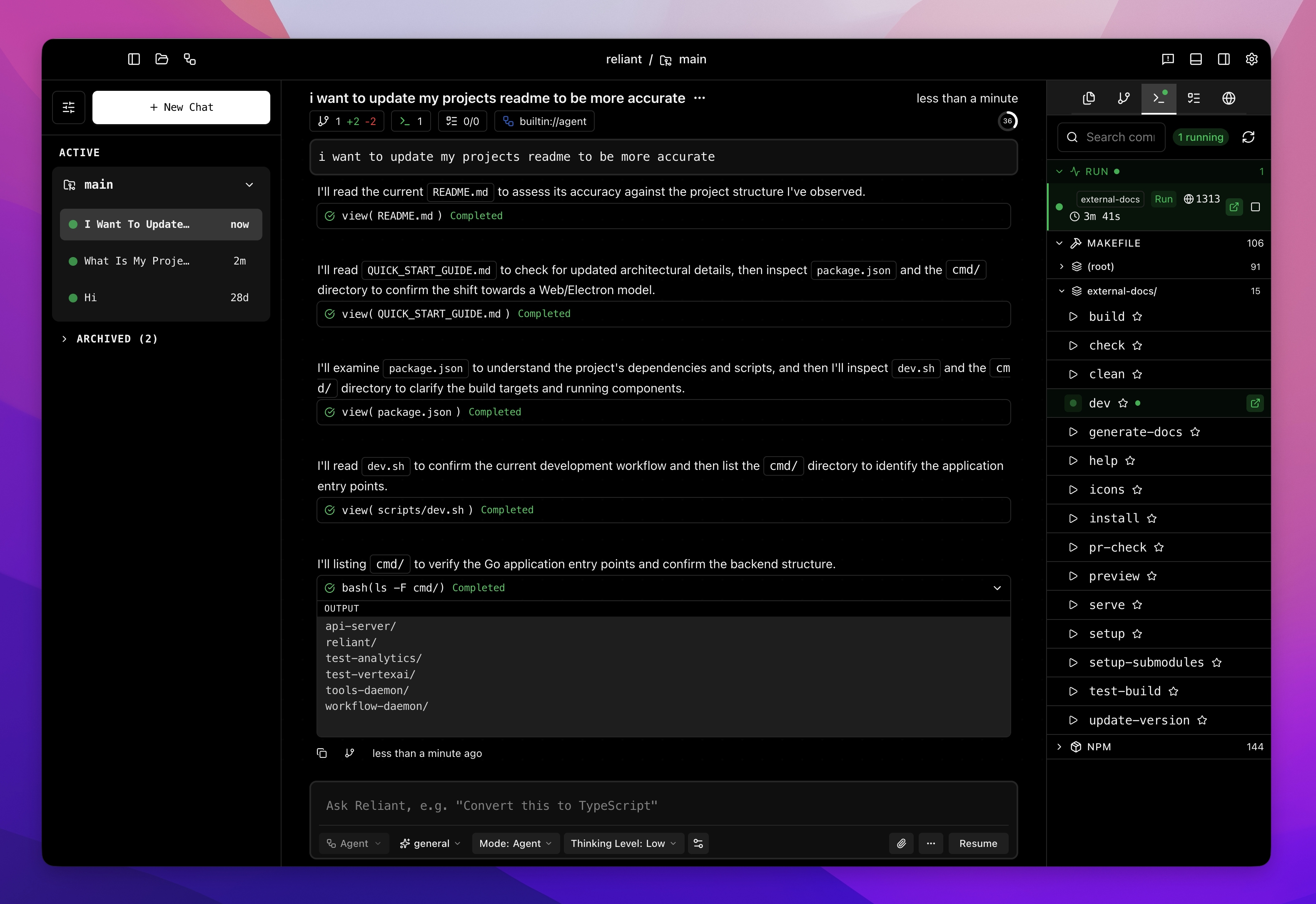
Reliant parses Makefile targets and extracts descriptions from## comments:
_ or . are treated as internal and hidden.
Taskfile
ForTaskfile.yml (go-task format), Reliant extracts task names and descriptions:
internal: true or starting with _ are hidden.
Running Commands
Click any command to run it. Commands execute in the directory containing the build file, respecting your workspace/worktree context. Commands that are running appear under Running, where you can open their logs, rerun them or stop them. Long-running commands such as dev servers keep running in the background. You can mark commands as favorites to find them under Favorites.Workspace Scoping
Commands are scoped to your current workspace. If you’re working in a worktree, they run in that worktree’s directory, not the main repository. The running list can also show processes from all workspaces.Related Topics
- Worktrees & Workspaces — Working in isolated directories
- Git Integration — GitHub CLI and PR creation