
What is a Thread?
A thread is a sequence of messages—user inputs, AI responses, and tool results. When you start a chat, Reliant creates a root thread for your conversation. When workflows spawn sub-agents or run child workflows, each can get its own thread. This keeps conversations isolated: a research agent’s internal dialogue doesn’t clutter your main conversation.How Threads Work
Threads are managed automatically by the workflow engine. When a workflow or node executes, it receives a thread from its execution context. Activities likeCallLLM and SaveMessage automatically use this thread—you don’t need to pass thread IDs explicitly.
Thread behavior is controlled at the workflow and node level using ThreadConfig. This determines whether a child workflow shares its parent’s thread, gets a fresh thread, or forks from the parent’s conversation history.
Thread Modes
Configure thread behavior on workflow or loop nodes using thethread field:
inherit (default): Use the parent’s thread. Messages appear in the same conversation. This is how most single-agent interactions work.
Thread Configuration Options
The fullThreadConfig structure:
Memo Behavior
In loops,memo controls whether the same thread is reused across iterations:
Message Injection
Theinject field adds a message to the thread before the child workflow starts. This is how you give instructions to sub-agents:
In loops,
memo controls inject frequency:
memo: false(default): Fresh thread each iteration, inject added every iterationmemo: true: Thread reused, inject added on first iteration only
Accessing Thread Data in CEL
Thethread.* namespace provides access to the current thread:
Viewing Thread History
The chat interface shows messages from all threads by default, displayed together in chronological order. Sub-agent threads are visually distinguished with an indented left border and a label indicating which thread they belong to (e.g., “Spawn Tool from Main”).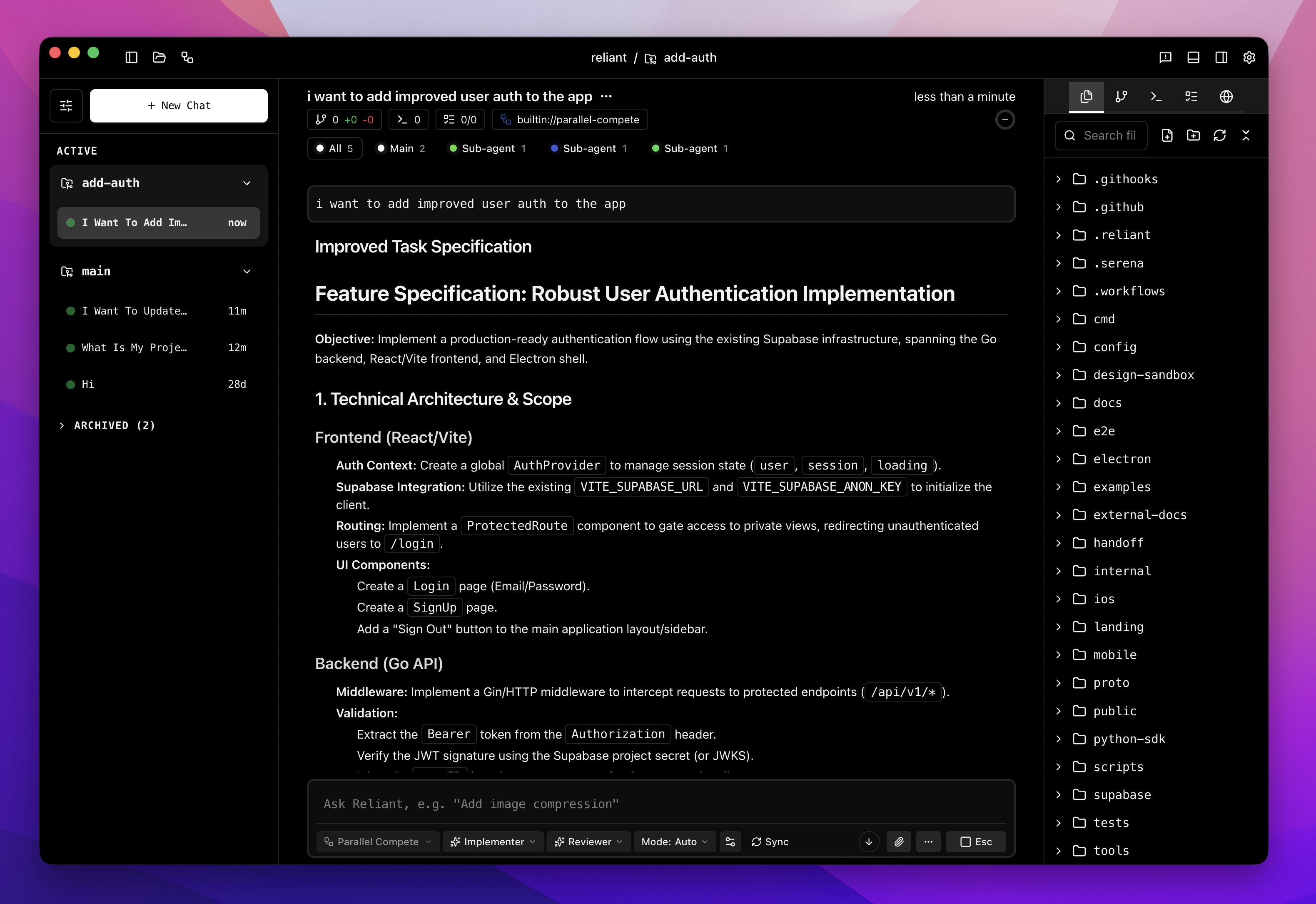
- All — Messages from all threads combined
- Main — Only the main conversation thread
- [Sub-agent name] — Only that sub-agent’s thread
Node Output Access
Access completed node outputs vianodes.<id>.*. For detailed CEL expression patterns including loop outputs, qualified IDs for nested nodes, and handling skipped nodes, see the CEL Expressions Reference.
Quick examples:
Related Topics
- Branching — Exploring alternative conversation paths
- Workflow Control — Pause, resume, and interact with running workflows
- Spawn Tool — How agents delegate to sub-workflows
- Multi-Agent Patterns — Patterns that use multiple threads
- CEL Expressions Reference — Complete reference for node outputs and expressions