
Pause and Resume
Pause a running workflow when you need to:- Review what’s happening before it continues
- Update parameters before the next step
- Take a break and continue later
Esc. Work in flight is stopped first, including any command running on your machine, and then the workflow pauses.
To resume: Send a message. Sending a message to a paused workflow resumes it, with your message added to the conversation. The run’s page under Workflows → Runs also has Pause and Resume buttons.
What happens when paused:
- The workflow stops at its current point
- All state is preserved—it will continue exactly where it left off
- You can view the conversation, update parameters, or branch
Updating Parameters While Running
You can change workflow parameters without stopping the workflow. Changes take effect on the next iteration of the agent loop.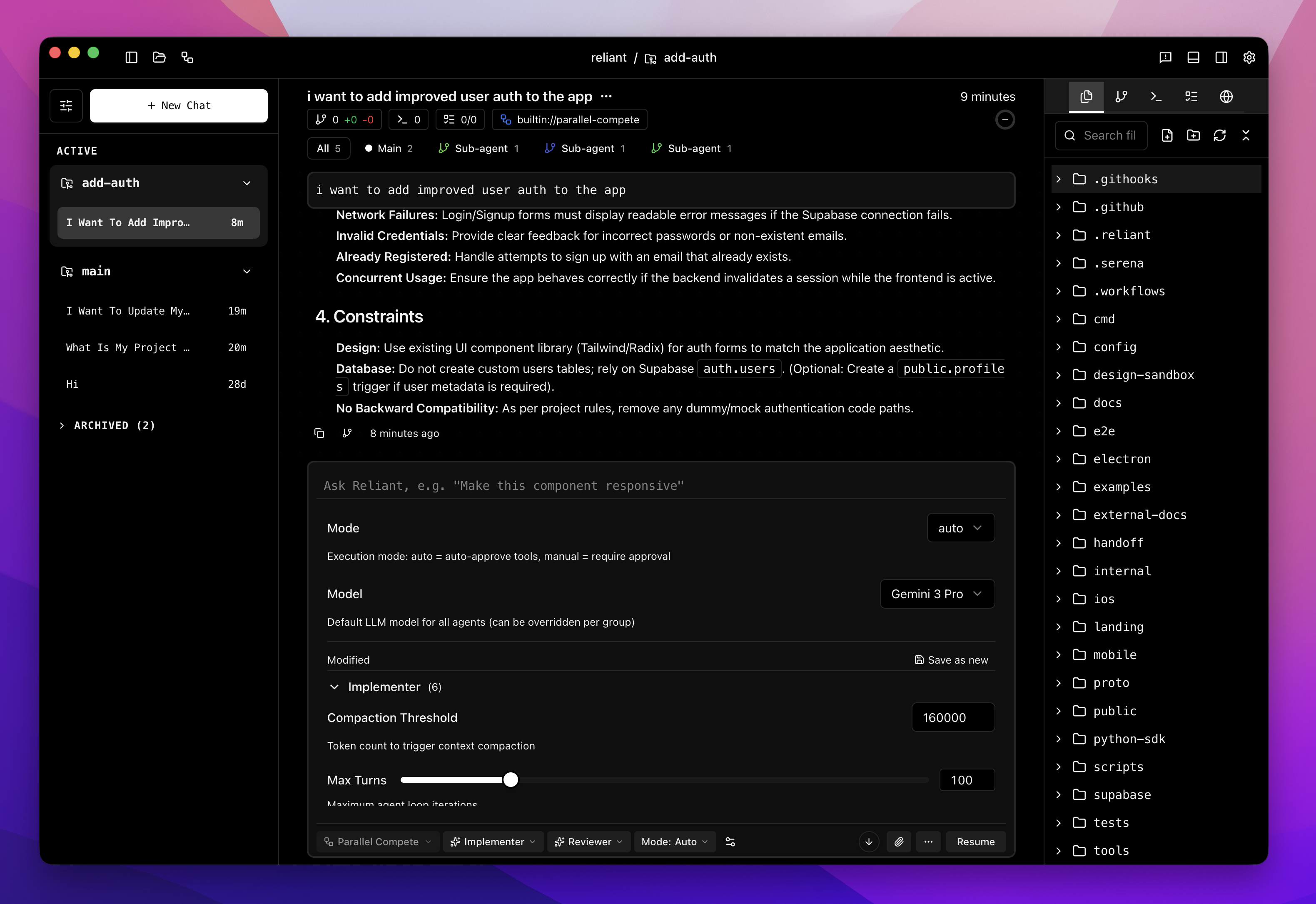
- mode: Switch from
autotomanualto approve each tool call, or toplanto have the agent plan rather than change code - model: Switch to a different model, or change its thinking level or temperature
- Change the mode in the composer toolbar, the model with the model button, or anything else under Show all settings
- Changes are applied immediately via a signal to the running workflow
- Most parameter changes apply on the next LLM call
- Mode changes affect the next tool execution decision
- The current in-flight operation completes with old parameters
Messaging a Running Workflow
You do not need to pause to steer an agent. A message sent while it works is queued: the composer shows it in a strip above the input with how long it has waited, and the agent reads it at its next turn, before it calls the model again. Each queued message can be removed before it is read. If the agent is in the middle of something long, Interrupt & send now stops the work in flight so it reads your queued messages now. When a workflow spawns sub-agents, each runs in its own thread, and each sub-agent’s card in the chat has its own message box. A message sent there goes to that sub-agent alone, and it reads the message at its next step, while the rest of the chat keeps working. A sub-agent that stopped on an error can be messaged too: the message resumes it. Use cases:- Provide additional guidance to a stuck sub-agent
- Correct a misunderstanding before the agent continues
- Inject information the agent needs but didn’t find
Automatic Pause on Failure
When a step of the main agent fails after its retries, Reliant pauses the workflow instead of failing it. The chat says what failed and why, such as an expired provider login, and ends with “Workflow paused — send a message to retry”. This gives you a chance to:- Review what went wrong
- Fix the underlying issue (reconnect a provider, switch model, free up the machine)
- Send a message to retry the failed step
Manual Intervention Pattern
For workflows that need human guidance, you can use pause/resume as a collaboration pattern:- Agent works autonomously
- You pause when you see something interesting
- Review the state, add context via message
- The message resumes the agent with your input
Related Topics
- Threads — Understanding thread structure
- Spawning sub-agents — How sub-agents run and report back
- Execution Modes — Control tool execution
- Workflows Overview — How workflows power Reliant